Automate your PPC Reports for Free – We’re Giving Away Google Ads Reporting Templates for Data Studio
By Brad | 5 comments May 14, 2019
Categories
PPC reporting is one of the most time consuming tasks for PPC Marketers.
Looking across many different studies of PPC reporting, the average agency is spending 3-7 days per month on reporting. The average in-house team is spending 2-3 days each month on reporting.
Of course, those are averages. For those who have automated reporting – it takes less than an hour per month. That usually breaks down into 1 minute to download auto created reports and an hour writing the story to go along with the stats.
The easiest way to get started with automating your reporting is through Google Data Studio.
Google Data Studio (often called DS) is a wonderful tool to use once a report is created. However, it can be incredibly challenging to design the report in the first place.
To help everyone get started automating PPC reports with free tools, we created some Data Studio templates that you can easily apply to your own accounts to quickly get started.
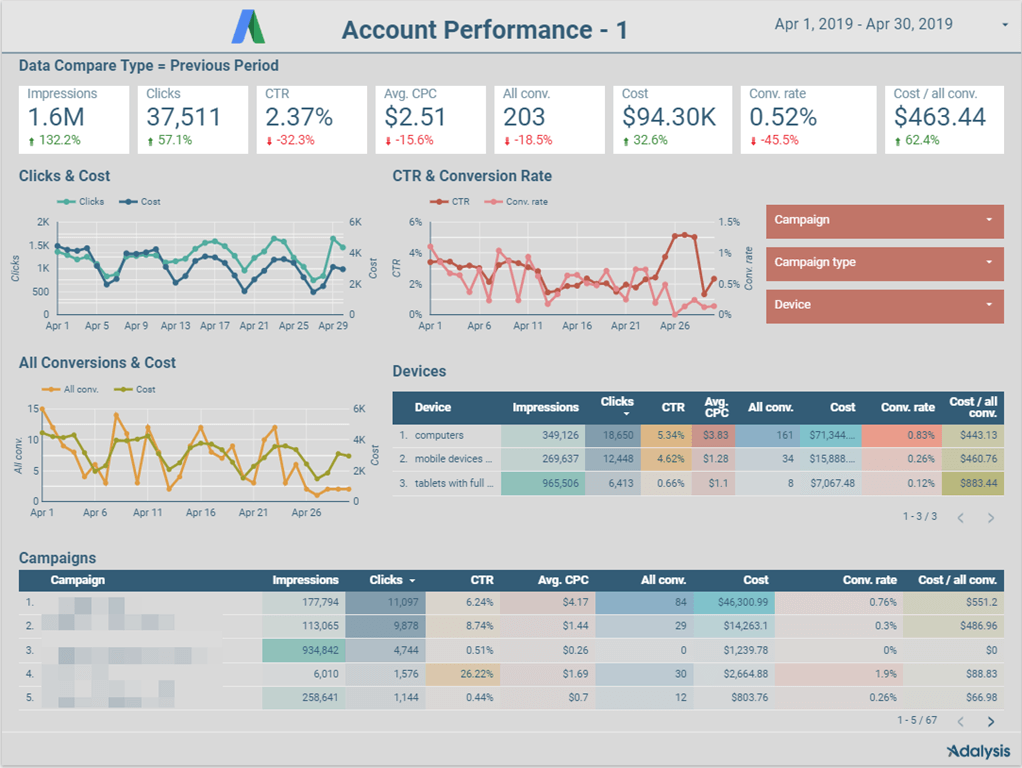
The first report is for Google Ads. This 6 page report starts with summary data:
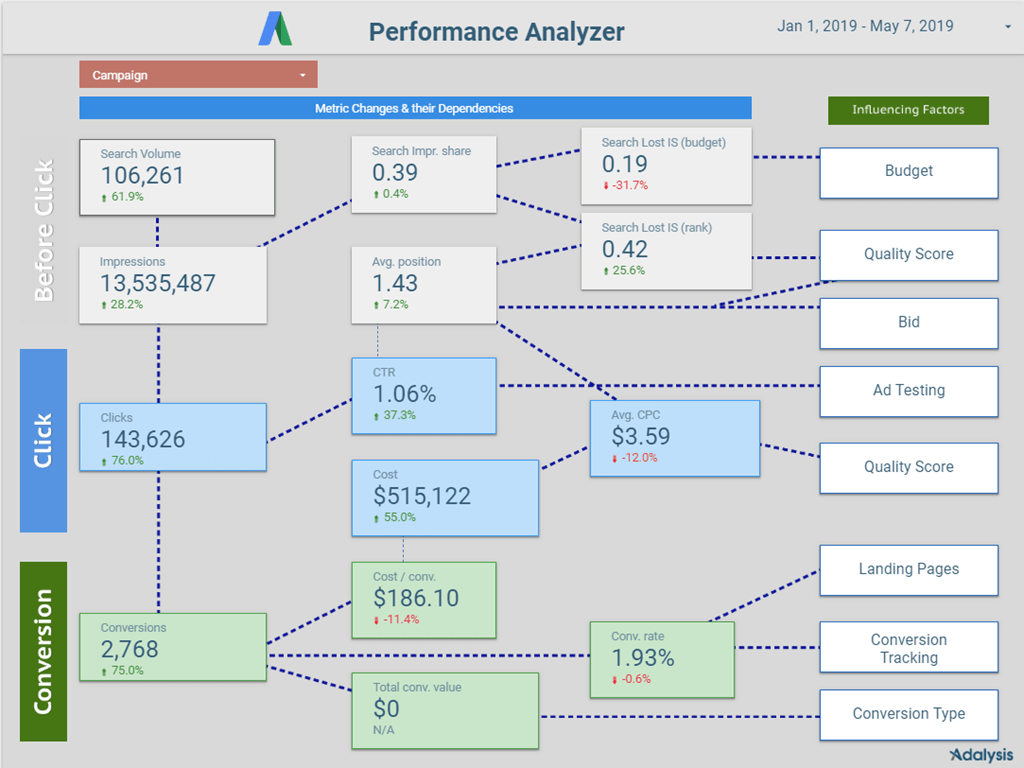
It ends with one of our favorite reports – a time frame metric comparison that is easy to turn into data storytelling.
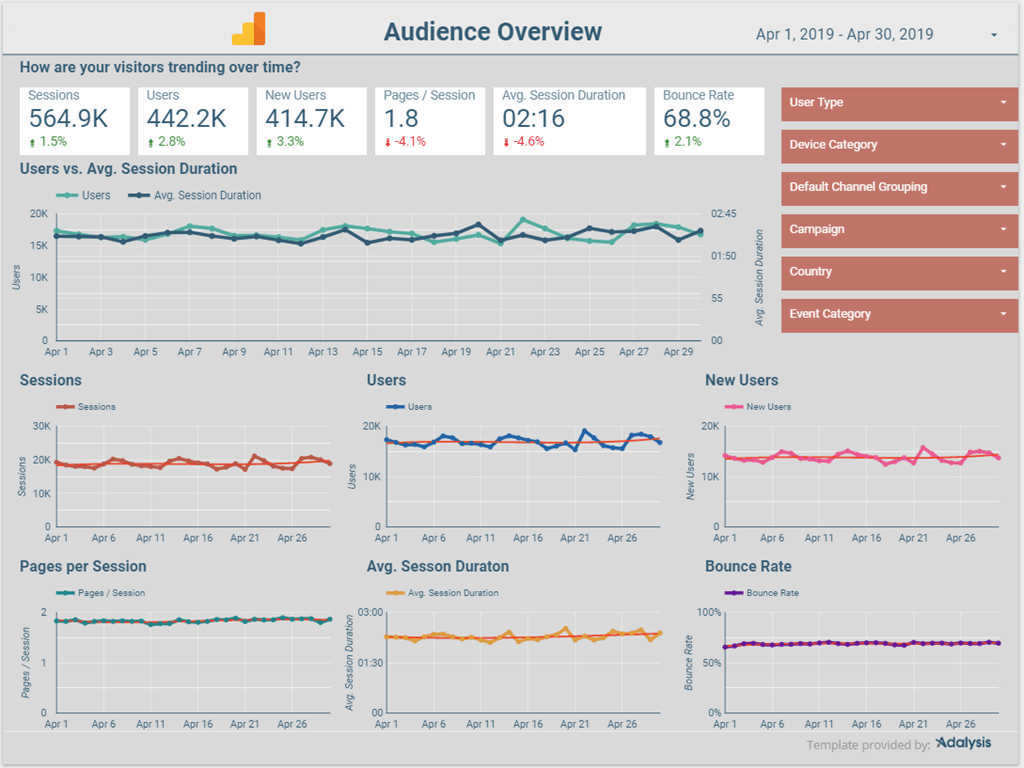
The second report is one for Google Analytics:
Once you are familiar with Data Studio, it’s easy to set up and manage reports. The system can be a bit tricky to get started. To help you get started, we created two videos that will help you learn how to set up your Google Data Studio environment and then easily apply and manage your reports.
To get access to these reports and videos, just sign up here for free access, and you can start automating your reports for free.
We hope you enjoy these reports 🙂
Note: For Adalysis Subscribers, you already have access to very robust PPC reports in your interface. Some of them are as long as 26 pages full of charts and marketing stats. Just navigate to the PPC Reports section of your account to get your Google Ads, Microsoft Ads, Google Analytics, and Facebook Data Studio reports.
Share around the web


Related posts
View all
When to pause exact match and rely on broadmatch instead
When to pause exact match and rely on broad match instead
The hidden challenges of AI Max searchterm reporting
The hidden challenges of AI Max search term reporting


Improve performance
with
actionable
analysis


Thanks for your pictorial explanation. I was waiting for such a tool to get my reports.
Its a big headache at the end of every month. nice sharing.
Thanks for the explication about Search Volume (I guessed but I was not sure) and about the colors.
Excellent work, Brad. Appreciate it for sharing it with everyone. The slides are more informative and insightful!
Hi,
Thanks, it’s fantastic. I have already applied to an account and it’s awesome. But I suggest you a style change: when cpc decreases, the comparison color should be green instead of red. Same for Cost / Conversion.
Do you agree?
And a last question: what is search volume? are you calculating based on Impression Share?
Thanks in advance 🙂
Leave a comment